

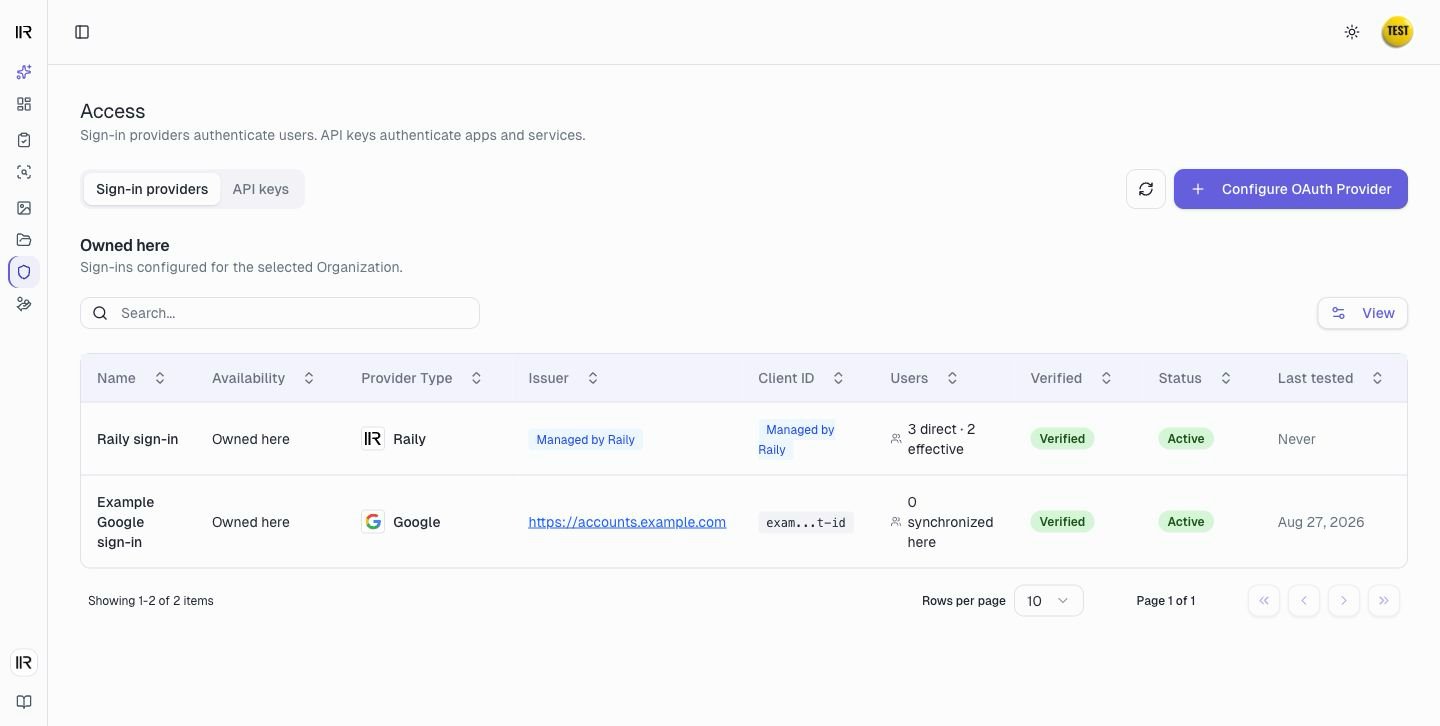
Choose an access method
Plans and permissions
Roles assigned in a parent Organization also apply in its descendants.
User access
An endpoint user needs three things to reach an endpoint:- The endpoint uses a sign-in provider.
- The provider admits the user. Raily checks an endpoint grant for Raily-hosted sign-in. An external provider applies its own access rules.
- The AI client has the endpoint’s connect link. The user adds it in a personal setup, or a workspace owner or administrator adds it for members.
Two kinds of sign-in
Raily supports two sign-in models. Choose one before you add users to an endpoint because each model handles access differently.
Use Raily-hosted sign-in when you want to grant access by email and choose each user’s endpoints in Raily. The next section explains these grants.
Bring your own connects an identity provider you already run: Google, Microsoft Entra ID (Azure AD), Auth0, Okta, or Keycloak, each over OIDC. You add one from Configure OAuth Provider on the Access page. Raily trusts your provider to decide who is allowed. Users admitted by your provider can reach the endpoint and appear in Raily after their first successful sign-in.
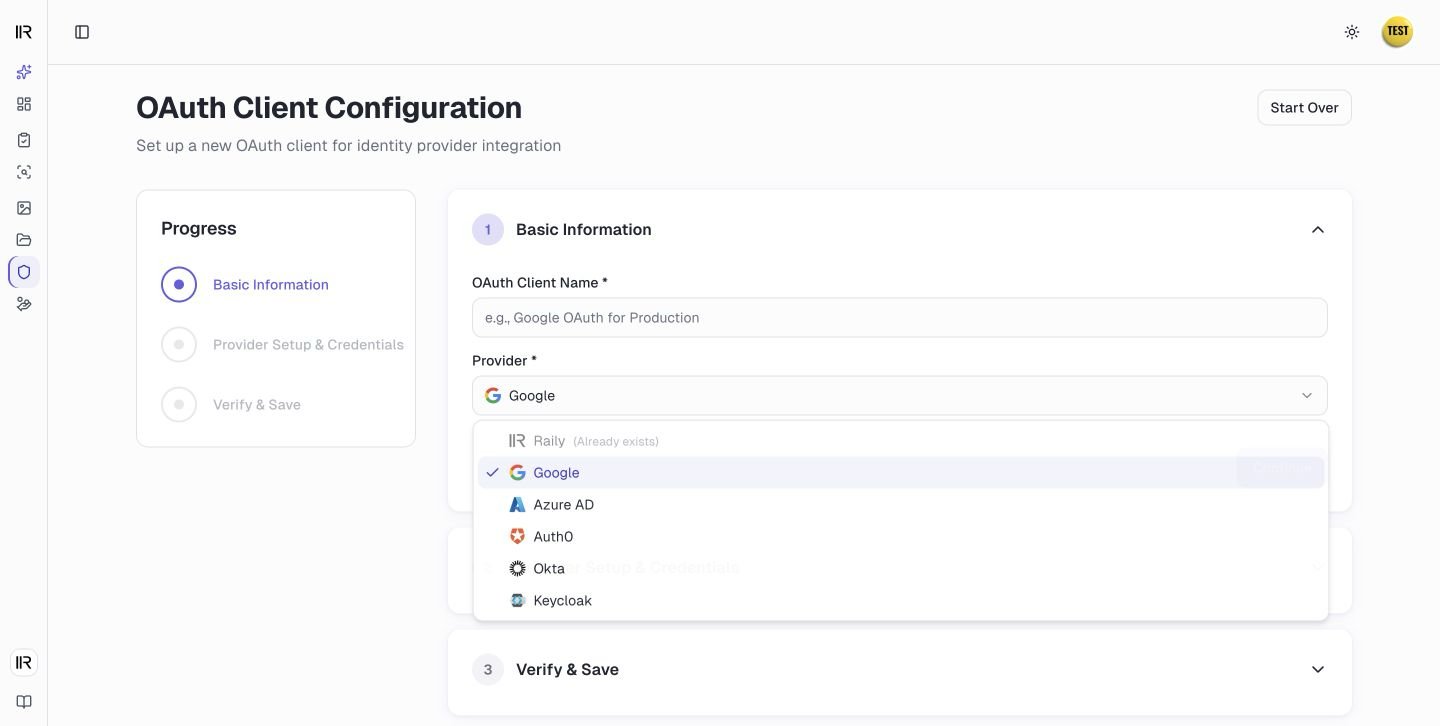
Add and manage users
Grant a user access through Raily-hosted sign-in.
Raily-hosted user grants
This section is about a Raily-hosted sign-in, where you control access from inside Raily. To open a Raily-hosted sign-in’s user list, go to the Sign-in providers tab, open the row menu at the end of the provider, and select Manage users. For a bring-your-own provider, select View synchronized users instead. Your identity provider manages that list.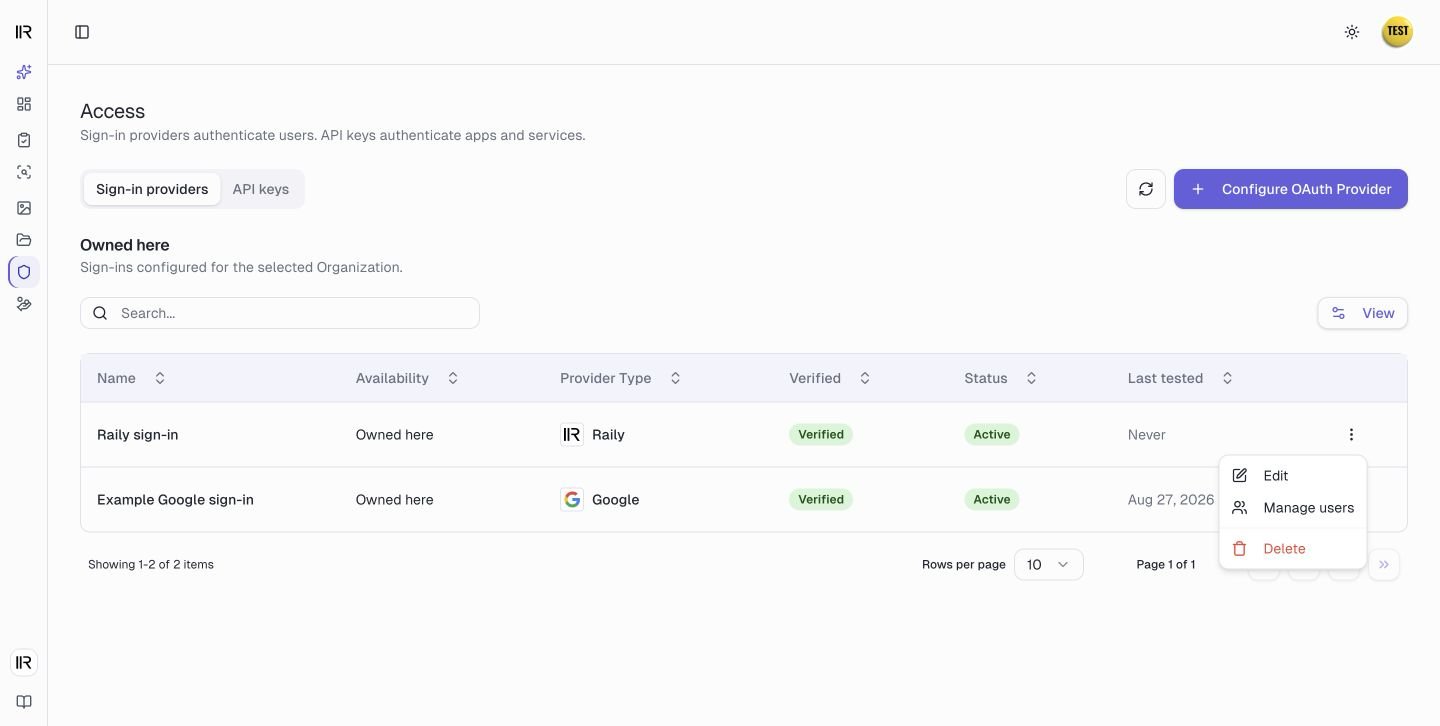
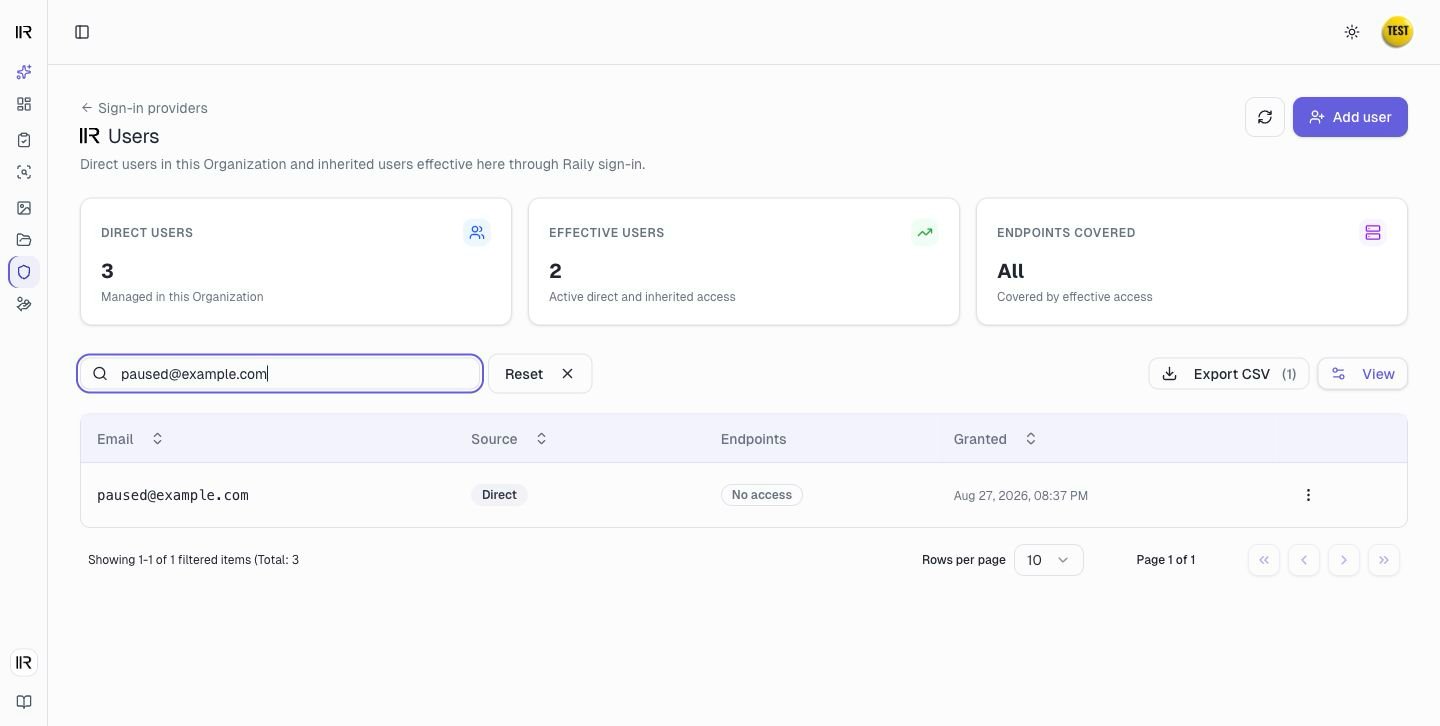
API keys for software
An app, a script, or a backend service authenticates with an API key instead of using a user sign-in. The endpoint keeps its sign-in provider for user access; the key is separate, for software. One key works against any endpoint you scope it to. Create keys in the endpoint form, or manage them on the API keys tab under Access.1
Create the key and choose its scope
On the API keys tab, select Create key. Enter a name, then choose one endpoint, several endpoints, or All endpoints in the selected Organization.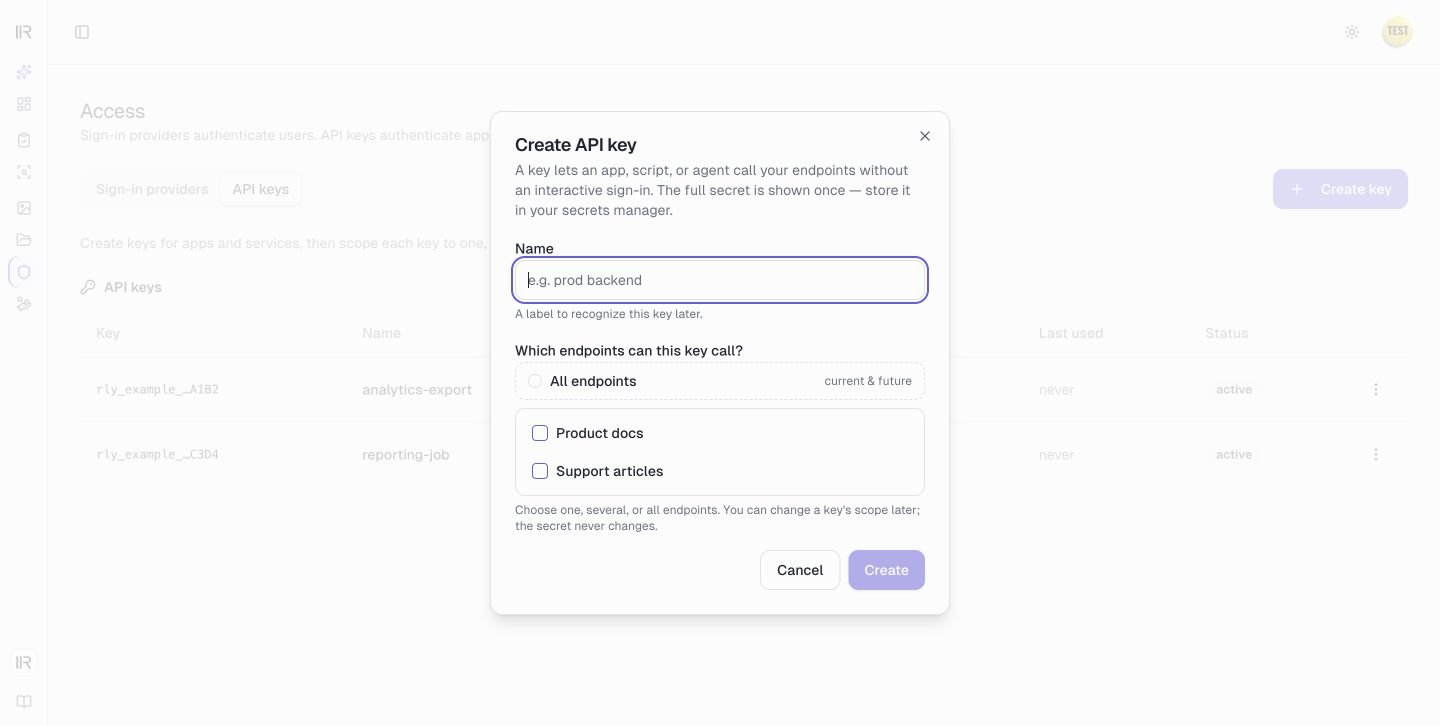
2
Copy the secret
Raily shows the generated secret once. Copy it into your secret manager before you close the dialog. Raily cannot show the same secret again.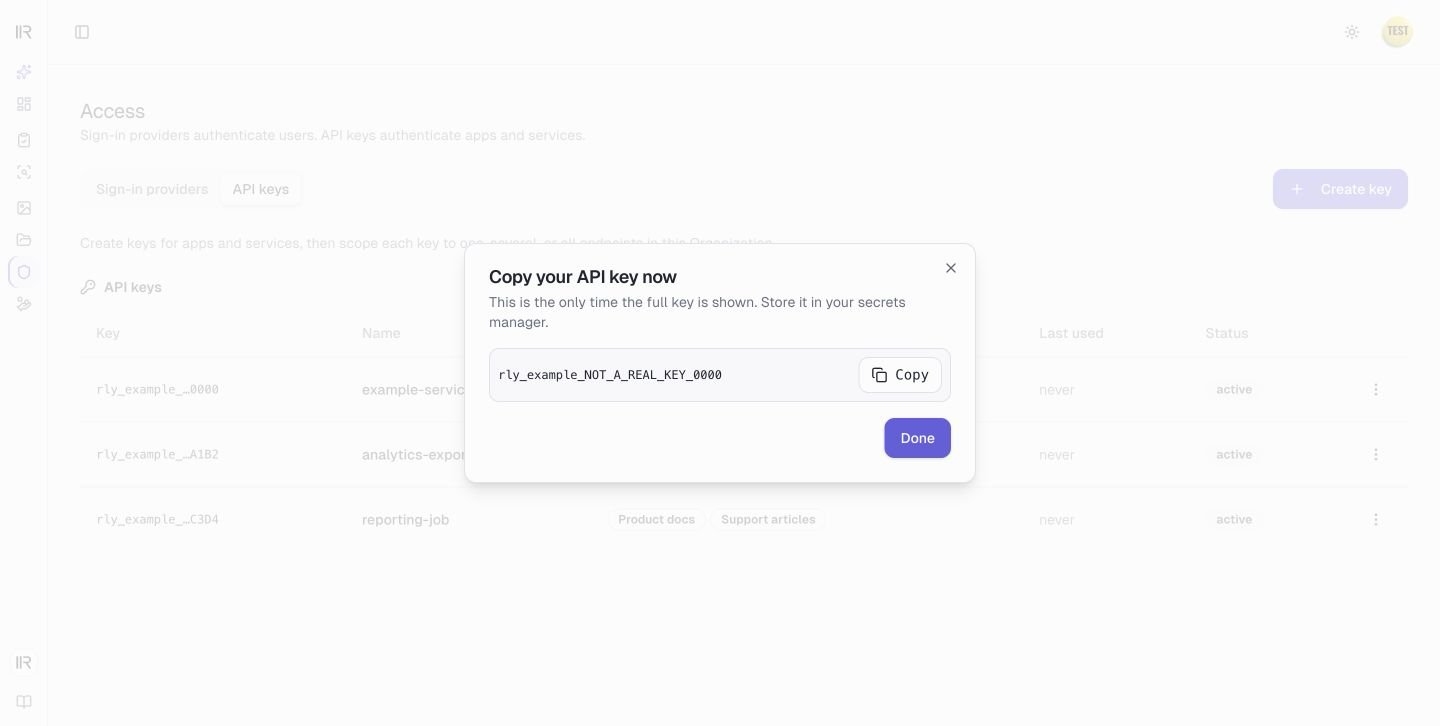
3
Manage the key
Open the row menu to edit the key’s scope, rename it, rotate its secret, or revoke it.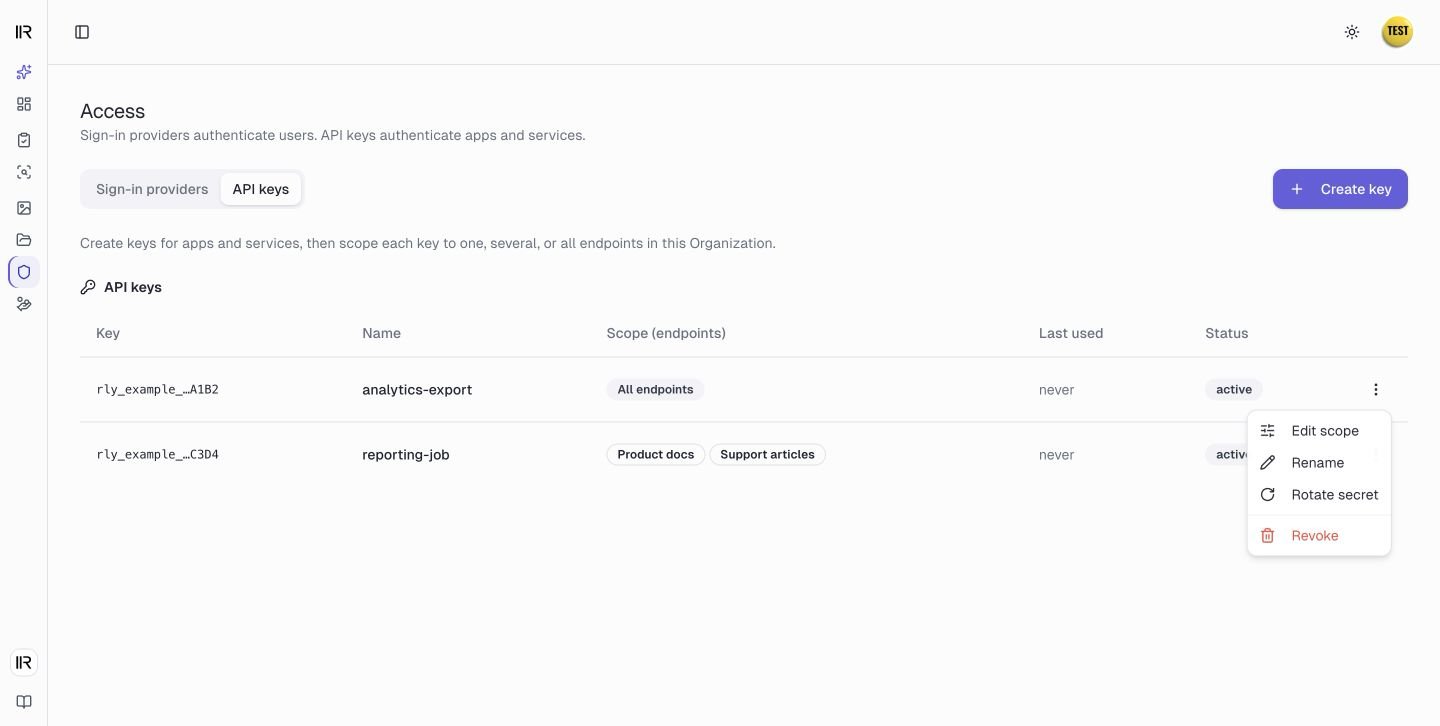
Removing an endpoint from a key’s scope can take up to about 30 seconds to apply, because a successful check is cached briefly. Widening a scope applies on the next call, since a refusal is not cached. A change to a Raily-hosted user’s endpoints applies on their next request. Neither needs you to reissue a link or a key.
Organizations
An Organization is a scope inside your Account. Organizations nest: a parent Organization can hold child Organizations beneath it. Every endpoint, sign-in provider, user grant, and API key belongs to one Organization.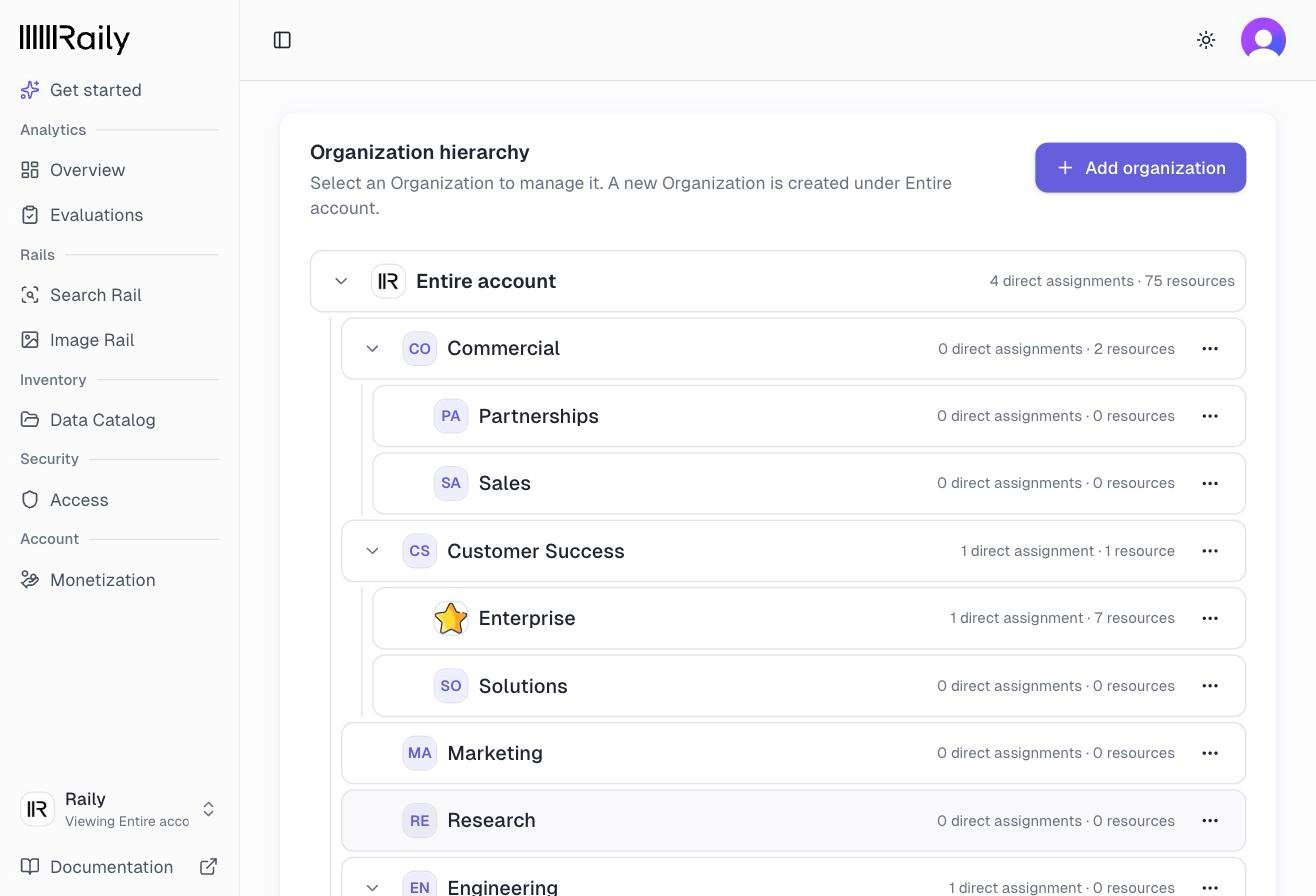
Access flows down
A parent Organization’s sign-in provider can serve endpoints in its descendants. An All endpoints grant covers endpoints that use that sign-in in the parent and its descendants. A named grant covers only the endpoints you selected. Endpoints and API keys do not inherit. Each belongs to one Organization, and an API key can reach only endpoints in that same Organization, never a child or a sibling. Inheritance only works downward. A grant made in a child Organization does not reach the parent, and it never reaches a sibling. If a user signs in successfully but still cannot reach an endpoint, check which Organization holds their access first. When you view a child Organization, access that came from a parent shows in the list labeled with the Organization it came from. You change that access where it was granted, in the parent, not in the child.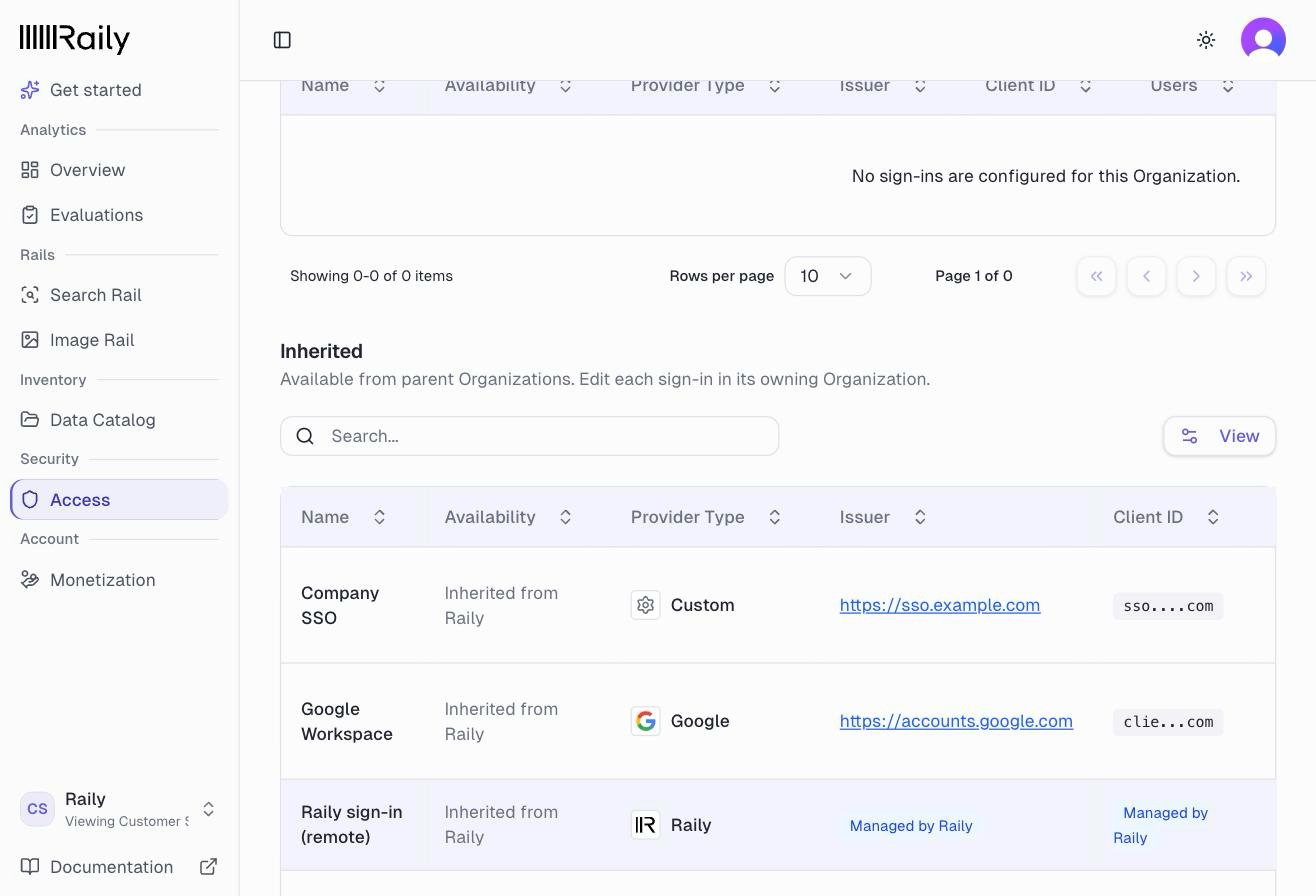
Raily creates a hosted sign-in with each new Organization, so you may see one you did not add. If an older Organization does not have one, set up Raily-hosted sign-in.
Troubleshooting
A Raily-hosted user sees “Access denied: you do not have an active grant for this endpoint. Ask the data owner to grant your account access.” Their sign-in worked, but you have not given them that endpoint. Grant it on that sign-in. A bring-your-own user cannot sign in. Check their account and its access in your identity provider first. If the provider allows them, check the sign-in’s configuration and status in Raily, which validates the token your provider returns. Access is granted but the endpoint is still out of reach. Check the Organization and scope separately. If the grant is in the wrong branch, grant access in the Organization that owns the endpoint or in one of its ancestors. Then include the endpoint by naming it in its owning Organization, or choose All endpoints on a grant in that Organization or an ancestor. A bring-your-own user has access and you did not want them to. Revoke their access to the Raily application in your identity provider. Raily trusts your provider to decide who is allowed, so there is no Raily user grant to remove. A key still works after you removed an endpoint from its scope. A successful key check can stay cached for up to about 30 seconds. Wait, then try again. A key stopped working after a scope change. Confirm the endpoint is still in the key’s scope. Waiting will not restore access to an endpoint you removed from it.Next steps
Add and manage users
Grant Raily-hosted access and send a connect link
Providers
Configure Raily-hosted or external OIDC sign-in
Connect to Claude
Add an endpoint to Claude and sign in
Analytics
Review endpoint usage