> ## Documentation Index
> Fetch the complete documentation index at: https://docs.raily.ai/llms.txt
> Use this file to discover all available pages before exploring further.
# Evals
> See how well search answers real queries against your data
## Overview
Evals score how well Raily answers real queries against your data. Every search is rated, so you can see whether the right content is surfacing, spot weak queries, and catch regressions after a config change. See them in the dashboard at [app.raily.ai/dashboard/evals](https://app.raily.ai/dashboard/evals).
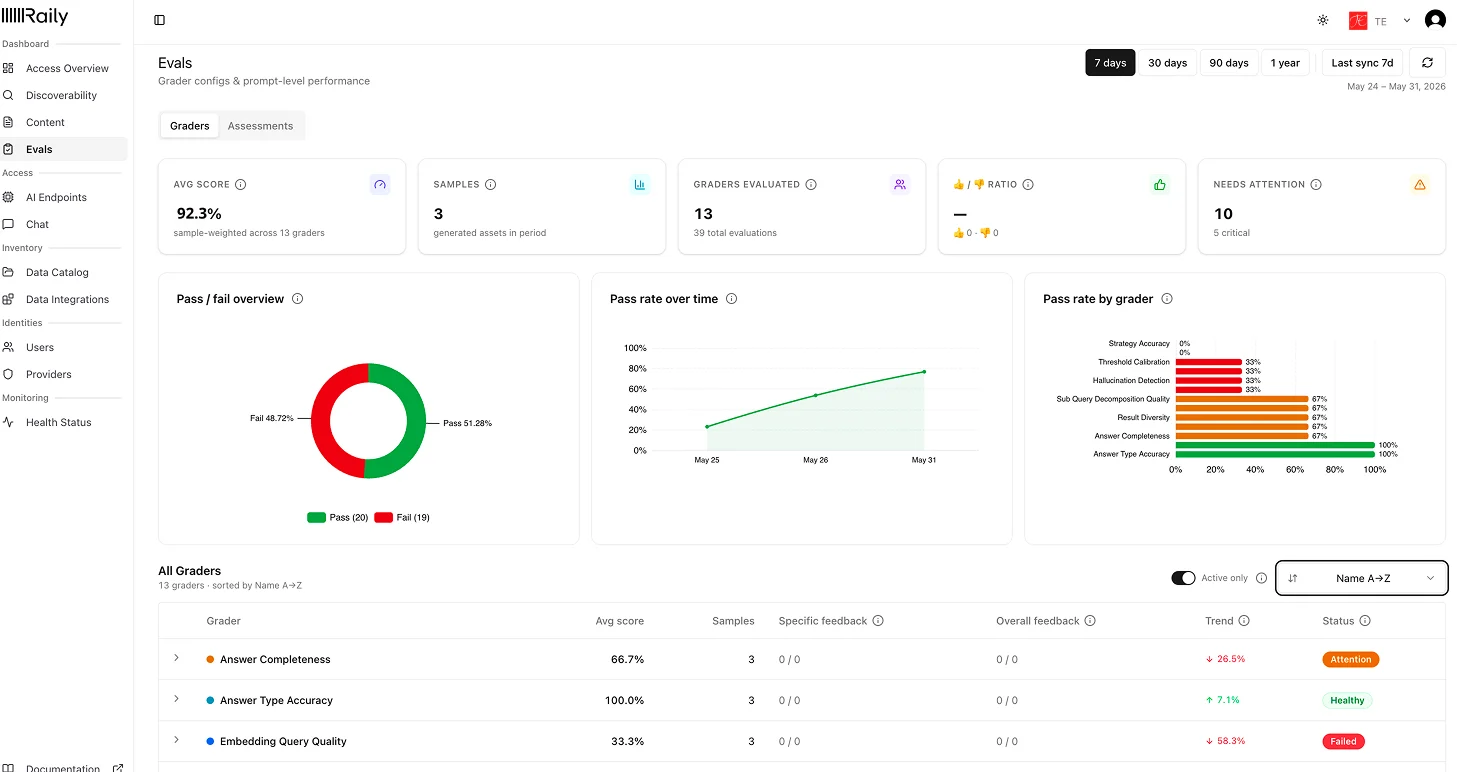 ## What gets scored
Each search is evaluated across three stages:
```mermaid theme={null}
graph LR
A["Query
## What gets scored
Each search is evaluated across three stages:
```mermaid theme={null}
graph LR
A["Query
Understanding"] --> B["Retrieval"] --> C["Output"]
A1["Does search understand
what the user wants?"] -.-> A
B1["Does it find the
right content?"] -.-> B
C1["Is the result
good?"] -.-> C
style A fill:#E0E7FF,stroke:#4F46E5,stroke-width:2px
style B fill:#DBEAFE,stroke:#4F46E5,stroke-width:2px
style C fill:#BFDBFE,stroke:#4F46E5,stroke-width:2px
style A1 fill:#F9FAFB,stroke:#D1D5DB,stroke-width:1px
style B1 fill:#F9FAFB,stroke:#D1D5DB,stroke-width:1px
style C1 fill:#F9FAFB,stroke:#D1D5DB,stroke-width:1px
```
* **Query understanding** — does Raily correctly interpret what the user is asking?
* **Retrieval** — does it find the right content for that query?
* **Output** — is the final answer good?